A professionally-designed website is an important asset to the running of a successful business. A website acts as the online presence for a business and can often be the first touch point for a prospective customer coming from a search engine or an AI answer engine. Developing a professional, high-quality website will help make the right first impression upon any potential client or buyer, increasing the likelihood of their placing an enquiry or making a purchase.
A website also acts as a digital extension of a business for potential customers to whom the business is already known, representing its professional image online and allowing them to carry out further research. Business websites need to be attractive to new customers and both informative and clear for those wanting to find out more.
In this guide, we will cover the fundamentals of website design, identifying its importance for businesses, exploring the process, highlighting best practices, and considering the design trends, the common mistakes that get made, and some thoughts on cost. We aim to give a deep insight into the design and build process and will share our knowledge gained over 25 years in the industry.
What is Website Design?
Website design, also known as web design, is the process of planning and designing a functional and aesthetically pleasing online presence. In the specific case of business website design, this process is carried out for the purpose of the promotion of a business to members of the general public who use the World Wide Web.
Website design is typically distinguished from website development, which refers to the technical process of implementing the programming required to bring any website design to life on the Internet. Web developers will often work alongside web designers to implement their designs through the use of content management systems and custom coding.
Key elements of website design include:
- Visual design: the visual appearance of the site.
- User Experience (UX) design: the design of the elements determining the user's interaction with the site, such as navigational menus, clickable buttons and images that link to other pages, and any pop-ups, downloadable documents and playable audio-visual content, all of which contribute to the overall feeling a user is left with after visiting and using a website.
- User Interface (UI): the collective term for all interactive parts of a website, such as the menus, buttons and icons.
- Performance: the speed at which a website loads and responds to commands and tasks.
- SEO (Search Engine Optimisation) and GEO (Generative Engine Optimisation: how the website and its content are organised and optimised for search engines and AI answer engines.
Why Website Design Matters for Businesses
Website design matters for businesses because a website is an online presence for a business. If a business operates solely online then this will be the only way of communicating its message and promoting services or products with potential customers. If a business has a physical presence such as a shop or office, then a website acts as an online extension and needs to be aligned with brand messaging and provide clear and useful information to strengthen the reputation of the physical business.
Why a website is important for businesses:
First impressions
If a user has arrived on a website via an online search, their first impression of the business will be immediately formed after viewing the initial landing page at which they arrived. All pages need to be clear and concise, and to readily convey their to the user. If a page is busy, muddled or confusing for a user, they will be likely to navigate away from the website and to be left with an unfavourable view, which can be damaging to the reputation of the business.
SEO and GEO
A website that is carefully optimised for both SEO and GEO tends to enjoy increased visibility within search engines, answer engines and AI overviews. This can lead to increased discoverability by potential users who otherwise would not have found the website, which can boost the profile of the business and result in increased enquires or sales.
Trust, credibility and reputation
A possible customer who has heard about a business via word of mouth and is doing their own research will typically want to find a credible website that aligns with what they already know about the business. A website needs to reinforce positive feelings about a business for a user and to offer reassurance that they can trust the site with their personal information or payment details.
Enquiries and conversions
For a business that trades solely online, a website is crucial as a point of contact for potential customers. Likewise, for a business that does not directly trade online, unless that business has a well-publicised phone line that is staffed throughout regular business hours or a physical store that is open at least six days a week, a website enquiry form is likely to be how prospective customers will reach out and get in touch. In order to increase the completion rate of enquiry forms, business website designers need to make them simple and quick to fill in, which means that they should request only the essential information needed.
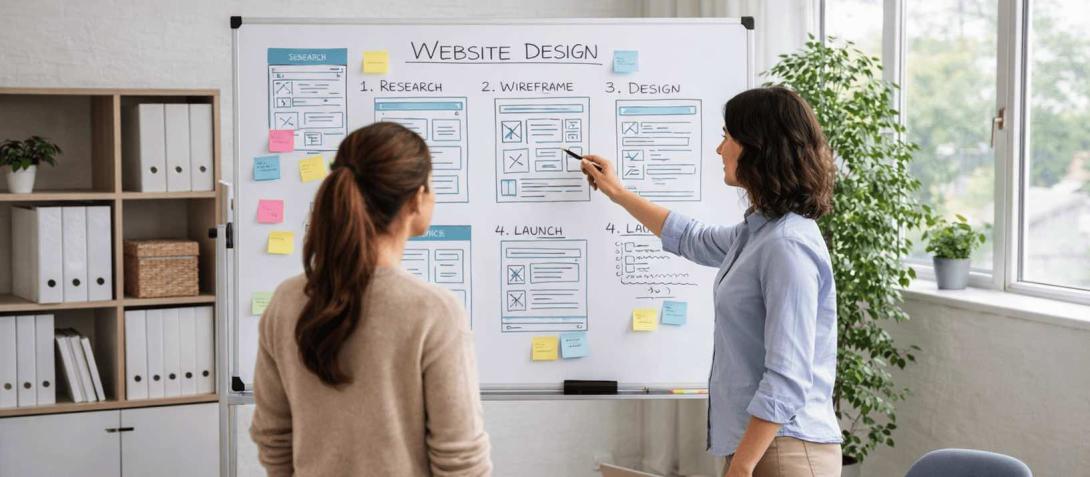
Image created using ChatGPT.
The Website Design Process
1. Discovery meeting
The first step in the design process is an initial discovery meeting with the client. This will consist of a relaxed discussion in which the client will explain what they want from the website and any existing ideas they have. It can also be good to discuss any current pain points the client might have to see if any of these could be solved in a new website build. This conversation gives a clear view of the client’s core goals and what they hope to achieve from the website.
2. Research and Prototyping
Research and inspiration sourcing are next in the process. The length of time this takes will depend on the client and their particular needs - for example, a larger, more complex design may require additional research. Once this is in place, the drafting of a low-fidelity home page design can be completed. Depending on the preferred method of the designer, this can be done either on a computer or by sketching on paper or wire-framing on a board. Whichever the case may be, the aim is the same: to collect ideas and settle upon an initial layout.
If as a web designer you want to speed up your workflow, AI tools that allow you to generate multiple low-fidelity prototypes with a basic prompt are now available. If using AI anywhere in your design process, ensure that you are transparent with your client about where and how you are using it. One tool that developers sometimes use for this purpose is Google AI Studio, an application that can be utilised for the rapid prototyping of not only web pages but also applications, as well as for the creating and testing of chatbots.
3. Development and Styling
Once a starting point has been settled upon, further prototyping and development can take place. Research into the styling of the website can be done at this stage, with a focus on fonts, headings, colours, images and icons that could be used. Once choices have been made, all such assets as may be required are sourced so that they are ready for use when work begins on a medium-fidelity prototype of the homepage. This prototype can be assembled in applications such as Adobe XD or Figma, both of which are vector-based user interface tools designed for prototyping websites, graphics and interactive features, although at this point, the home page is still just a design without any interactivity.
4. Testing and Feedback
Once a home page design is completed, feedback from the client is required. There can be a number of feedback rounds at this point in the process to ensure that the look and feel of the site meets the client’s needs and expectations. Clear communication is vital in establishing how the client’s vision for the site will best be met by the design.
5. Extended development
Once the home page design is approved, further development can begin on other core pages of the site such as the category pages or services pages. The home page is generally completed and approved first, as this will define the look and feel of the whole site. Working in this way before moving on to the inner pages tends also to be more efficient as it can save time that may have been spent on reworking the inner pages to match the look of the home page once it has been set.
6. Launch
Once full approval of the design has been granted by the client, a schedule for the development of the site, including a projected timeline for putting it live, is established. A new website is generally launched outside the business's standard working hours, in order to limit disruption to the business if any technical problems occur at the point of switching from an older site to the new one or, if it is the business's first site, at the moment of its launch.
7. Refinement
The last part of the process is refining the finished site and solving any issues that may come up after the website goes live. Most agencies will allocate a certain number of hours to their chargeable time budget for each project for this type of work as there can often be small, unexpected issues that come to light only after the site is launched, or details that need finishing such as the population of inner pages with additional content that had not yet been written or approved by the client when the go-ahead was given to go live with the site.
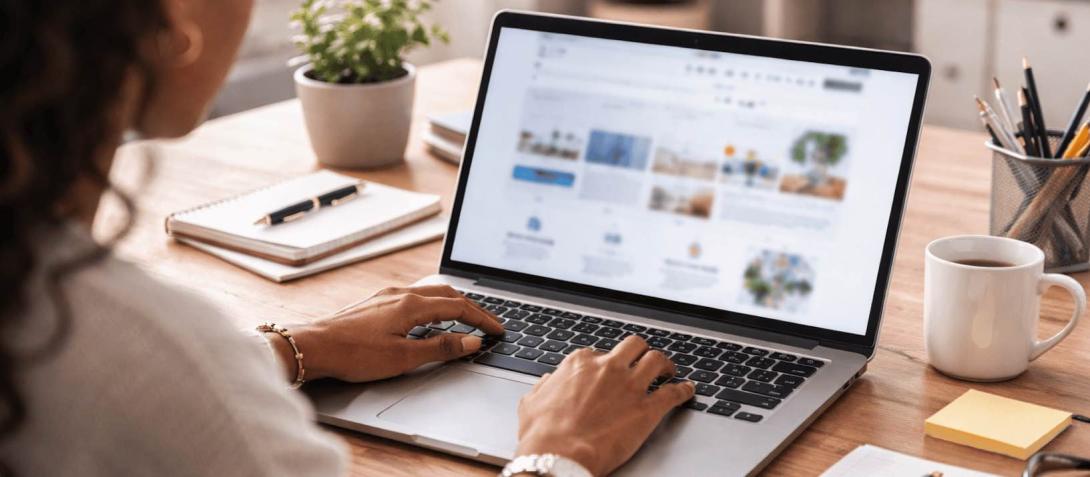
Image created using ChatGPT.
Website Design Best Practices
Clean design
A design that is simple and follows a familiar style that users know and are comfortable using can be a winning formula. Anything overly complex, or designs that attempt to reinvent the wheel in one way or another, may look impressive and initially make a positive impact, but risk losing visitors if they are just too hard to use or take a long time to load because they include weighty videos, animations or code.
If you deviate significantly from the norm in terms of the user interface and navigational elements and structure of your site, users could leave the site after just a few seconds owing to not being able to immediately find what they were looking for. A completely unexpected navigation system, or even something as simple as a ‘contact’ link not appearing in the main navigation, could alienate the user and leave them in search of a simpler-to-use alternative.
Clear font-size hierarchy
Having a clear font-size hierarchy means having the most important information and headings in a larger-size font. You can then step down the size of the font as you get into the finer details, which helps customers to understand the information structure on any page and makes it easy for them to cast their eyes on text belonging to topics on which they would like to focus.
Consider carefully the copy that is used, and don’t overload any functional page with too much, as this could be overwhelming for the user (although in-depth articles such as this one are a case apart and may signal authority by being more thorough). Use variable font sizes to clearly bring out the most important text, and guide the user's eye to related text.
Use colour sparingly
Colours in a website need to have meaning behind them and shouldn’t be used just for the sake of variety. Thinking about how colour can influence a user’s experience of or journey through a website can help in the overall success of the site. Use colour hierarchy to your advantage: for example, if your headings and content are in black or different shades of grey, presenting the user with a button in your primary or secondary brand colour will naturally draw the eye there because it stands out more then everything else, highlighting the next step you want the user to take.
You can also emphasise certain words within titles too, e.g. colouring the word ‘free’ in your main heading (often known as a 'hero title'), or having sections with a different background colour.
Consistent spacing
Ensuring consistent spacing, including margins and padding, and leaving room for adequate free space between elements of the content on each page (which is often known as whitespace), will ultimately help achieve a coherent design across a website. Nothing ties the look of a web page together more than having clearly defined spacing between elements.
This approach results in an unfussy, uncluttered, clean and simple design that acts as a guide for the user, rather than something that could be overwhelming and confusing.
Text to background contrast ratio
Reviewing any text that appears on a website and assessing it for ease of reading, taking into consideration how well contrasted it is to any background colour, is a good step to take to ensure accessibility and that there are no areas of the site with hard-to-read text. This should be considered when establishing primary and secondary colours that may be included in the website, and any colours chosen should be selected with contrast in mind.
Standardised sizing for interactive elements
Standard sizing for interactive elements should always be used throughout a website. Doing this will maintain the clickability of buttons or other elements on all screen sizes, regardless of whether a user is viewing on a desktop, a tablet or a mobile phone.
Website Design Trends
We wrote about website design trends we expected to see in 2026 earlier in the year, in an article in which we discussed trends related to the ongoing advances in AI and how those have been influencing website design. We’ll give a brief overview below, but you can read the full article ‘5 web design trends to expect in 2026’ too.
AI has impacted on website design in a few ways:
Personalisation
Personalisation and making a user feel as if the experience they are getting from a website is built around them can set a business apart from its competitors. This is known as adaptive design and is a step on from the responsive design that has become the expected norm from websites over the last 15 years.
Responsive design means that a website is built in a way that can transform what is displays in order to fit the exact dimensions of a screen the user is visiting the site on, for example desktop or mobile.
Adaptive design uses custom programming or potentially even AI to determine and select the type of experience served to a user, which may be based on immediate on-site signals, such as whether the user is a first-time or returning visitor, and the referral source of that user. Logged-in users can provide even more personalised data such as their entire product browsing and shopping history on the site. The types of elements of each page that can be manipulated to suit the specific user include content, layout and interactive items.
This individual experience that can be offered to each unique user has the potential to catapult forwards businesses who lean into this type of design feature. Personalising the user experience in this way, if done correctly by offering them exactly what they are looking for when they land on a web page, for example by answering their specific questions and solving complex queries, has the potential to increase not only positive feelings toward said brand but also enquiries and sales of products or services.
Conversational tone
The question of whether SEO is dead is one that is on many digital marketers’ minds. We recently wrote an article on this topic too, one called ‘Is SEO dead? The question we hear time and time again’. In our eyes, SEO is certainly not dead, but optimising for AI search, answer engines and AI summaries is increasingly necessary and not something that can be ignored.
With organic search clicks declining and with the rise of the zero-click search, businesses must consider how they build optimisation for AI search into their existing and current marketing strategies in order to maintain search visibility.
One part of optimising for this new type of search is evaluating website content for tone. AI search engines prefer a natural, conversational style of language that is more similar to how a normal conversation would occur rather than a rigidly keyword-focused informative form of words.
To have the best chance of their sites being source-referenced within AI answers, businesses will need to modify any website content deemed too formal for a more informal tone that flows as a natural conversation would.
AI-assisted website design
We believe businesses will become more and more accustomed to AI assisting in the process of website design in the future. AI tools have proven their speed and capability within this area. Although there are still concerns surrounding security and ethics, the potential savings agencies can make may outweigh the risks, provided that their use of these tools is considered and practical.
In order to maintain the human touch within the design process and to ensure that website security is not compromised, AI should be used to assist designers and developers in the creation process, and not solely to create, unsupervised. Brainstorming ideas, rapid prototyping, thorough testing and repetitive tasks are all jobs AI could assist with in ways that would free up valuable time for designers and developers, time that could be used for deeper thinking and more complex tasks.
For agencies, the key will be adapting and to review how they can build this new way of working into their daily processes in order to benefit from the potential cost savings, while remaining watchful of any content produced in this way. Human checking and testing are essential if businesses want to successfully use these new tools.

Image created using ChatGPT.
Common Website Design Mistakes
Overuse of colours
Colour needs to be used selectively, since overusing colour on a website risks causing confusion to the user, and could mean that any sense of colour hierarchy and way of leading a user to a next preferred step is lost.
Misaligned or incorrect spacing
The layout of a website should be continuously checked throughout the design process of the site to ensure that elements are not misaligned or incorrectly spaced. Not only can this affect the visual impact of a website, but also it can make the design look unprofessional and as though little care or thought has gone into it, causing the user to question whether they should even stay.
Unnecessary animation
Overusing animation can overwhelm visitors to a site. The use of animation should be considered and have a specific purpose, even if that is just an aesthetic one. An example of overuse could be a site that uses animated ease-ins for every section on the site as you scroll. While some movement can add positively to the overall impact and experience of the site, using ease-ins in this way could interrupt the flow of the site, with the user having to wait a couple of seconds for the animation to end in order to view the information presented.
Website Design Cost
The cost of designing and developing a website can vary vastly depending on what the main aims for the website are.
For a small 5-10-page informational site whose purpose is to act simply as an online presence for the business, the cost could range from £2,000-£3,000. For something much larger, such as a website that requires an ecommerce function and that needs to be capable of accommodating thousands of products for purchase, the cost will tend to be from £5,000 and upwards. The size of the site will partly determine price, considered together with other factors including the development of bespoke features, content creation, SEO optimisation, and any ongoing maintenance and hosting costs (if included in the initial contract).
Choosing a Website Design Agency
Choosing a website design agency should be based on the specific needs of the business. What is the aim of the website? For instance, will it be used primarily as an informational online presence for a physical business, does it need to offer an ecommerce function, or is it a member website that will need to hold a large number of professional profiles?
Determine the specific goal of the website for the business, and then research website design agencies with this criterion in mind. Many agencies will specialise in certain areas of website design or in using particular content management systems, such as WordPress, Drupal or Magento.
All agencies are apt to showcase previous work on their websites, so this is a good place to start in order to get a feel for the kind of work an agency can create and has previously created. Review portfolios and case studies for a full overview of any potential agency that may be under consideration.
Question the level of communication and support offered throughout the client relationship, including following the completion of work, in order to manage your expectations from each prospective agency. Different agencies will have differing levels of communication they commit to, perhaps based on the size of the agency and whether they have specific account managers or are a smaller, more bespoke firm. Ensuring that there is a clear expectation from communications on both sides before a task starts is important for the smooth running of any project.
FAQs
How long does it take to design a website?
The time taken to design and develop a website will depend on the complexity of the site. Builds can take from two to six months.
What CMS should I choose for my website?
Provided that they have the flexibility and experience needed to work in different content management systems, and are not limited by an inflexible working preference for a single system such as WordPress or Shopify, your website agency should be able to advise you dispassionately on the most suitable CMS for your project, outlining features, costs and ongoing maintenance that will be needed.
How much does website design cost?
The cost will depend on the size and complexity of the site, but prices tend to start from £2,000 for the most basic small sites.
How involved in the process will I be in the design of my website?
Your website agency is likely to want to maintain regular communications with you in order to ensure that the project keeps to a given deadline and that feedback can be actioned effectively.
How involved in the process of the design of my website will be?
You will be involved throughout the process of the design of your website. This generally includes an initial brainstorming session, a number of feedback sessions, and your approval of the final design being required before development begins.
Will I need to provide any assets or content for my website?
You will need to provide images and written content for your website, unless otherwise agreed with your web agency - for example, some agencies will also undertake copywriting work after your instructions, and some may offer to source stock photography or AI-generated images if you don't have any suitable real pictures that would preferably be used.
If you would like more information on our services, or would like to request a website design consultation, please get in touch. You can call our team on 0117 972 4835 or complete our online contact form, someone will get back to you within 24 hours.
Please note our banner image for this article was created using ChatGPT.